Graphic design in India for distinctive, build-ready digital products
Blend UX thinking, visual craft, and frontend awareness to create distinctive digital products that users trust and developers can build. Explore our approach.
By Ajay Khatri ·
TL;DR
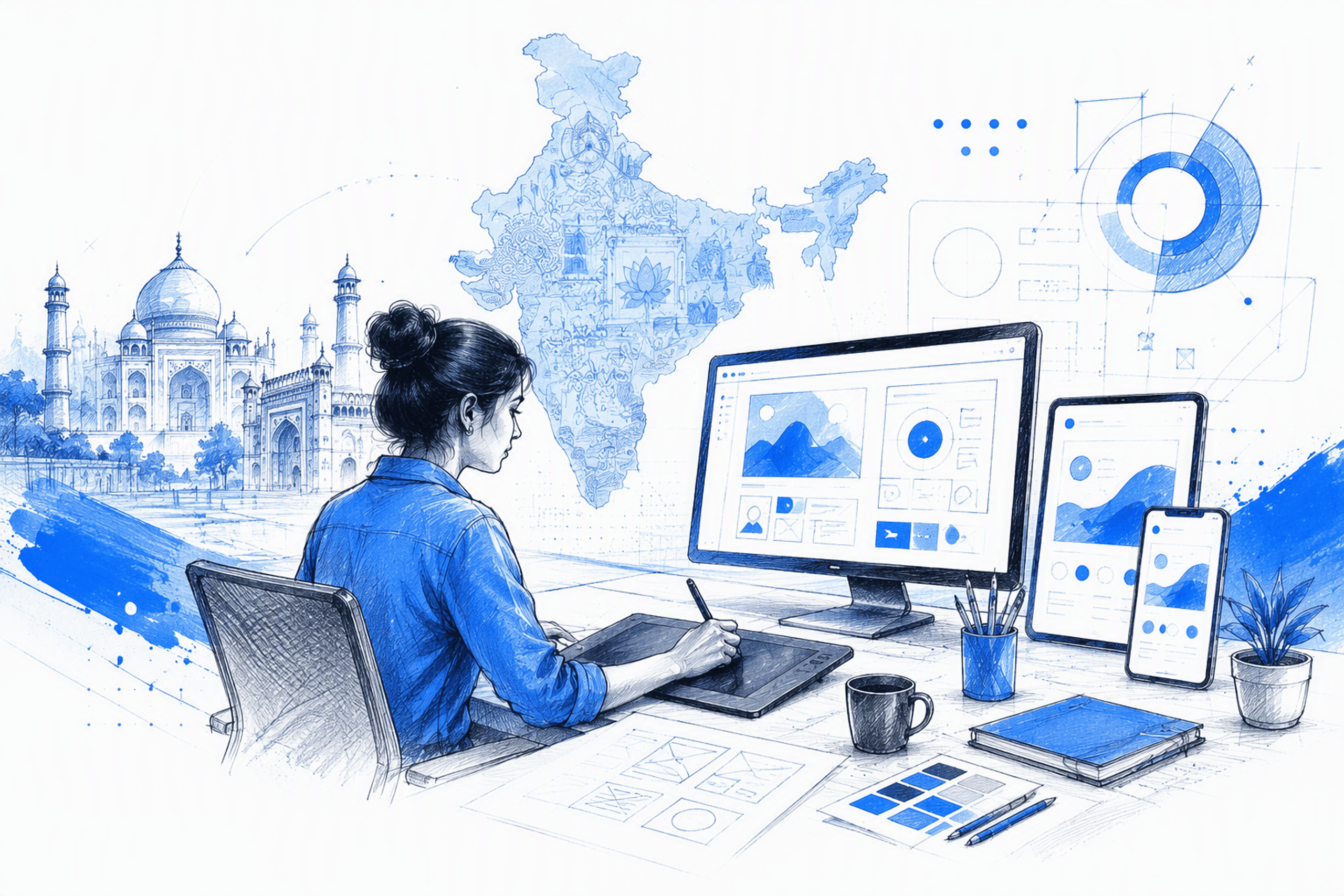
The best graphic design in India for a digital product goes beyond polished artwork. We combine UX thinking, visual craft, and frontend awareness to create distinctive interfaces that are easier to understand, use, trust, and build—with fewer gaps between design and implementation.
Table of Contents
- Graphic design in India for digital products that need more than attractive screens
- The 7 types of graphic design—and which ones matter for your product
- Graphic design vs UI, UX, product design, and frontend execution
- What end-to-end UI UX design services should include
- How frontend knowledge protects the approved design
- How to evaluate a graphic or UI UX designer in India
- Freshway App: Turning grocery browsing into a clearer product journey
- Engagement models, timelines, and graphic design pricing in India
- Graphic design in India: Buyer FAQs and next steps
- FAQ
- Create a more distinctive, build-ready product
Graphic design in India for digital products that need more than attractive screens

Searching for graphic design in India can leave a hiring team comparing polished portfolios without knowing who can improve the product itself. Behance, for example, lists more than 9,000 graphic designers in India across illustration, packaging, branding, and digital design.
That range is useful for discovery, but it does not make hiring simple. Product teams need someone who can interpret an incomplete brief, organise a usable experience, create a distinctive interface, and support implementation.
Our approach connects UX thinking, visual design, and frontend awareness in one accountable workflow. It suits Indian and global teams looking for an independent Bangalore-based collaborator without coordinating several disconnected specialists.
Strong digital graphic design can improve:
- Comprehension and information hierarchy
- Product discovery and task completion
- Perceived trust and credibility
- Brand recognition
- Accessibility and interaction clarity
- Confidence at key decision points
Career guides and salary pages answer a different need. Adobe’s career guide covers skills and career paths for aspiring designers. Commercial buyers must instead assess scope, ownership, judgement, collaboration, and the ability to produce build-ready work.
What graphic design means in a digital product
Graphic design shapes how a product communicates. Typography establishes emphasis, colour indicates relationships and states, layout directs attention, imagery creates tone, and iconography supports recognition.
These choices also influence behaviour. A clear primary action can help people progress through a flow, while weak hierarchy can conceal important information even when the underlying journey is sound.
Accessibility belongs in the same discussion. Colour should not be the only error signal, critical text must remain readable, and animation should explain a change rather than distract from it.
Brand expression must also survive real interface conditions. It should remain coherent across dashboards, mobile layouts, forms, onboarding, transactional messages, empty states, and reusable components.
Why one accountable workflow can move faster
Separate specialists make sense when a project has the scale to support parallel work. On smaller or fast-moving products, each handoff can create interpretation gaps. Research becomes wireframes, wireframes become visual screens, and those screens may reach development with missing states or impractical behaviour.
We reduce those translation points by carrying the same product context through discovery, flows, wireframes, visual direction, prototypes, responsive UI, and handoff.
Direct collaboration also helps teams resolve trade-offs earlier. Founders and product managers can speak with the person making design decisions, while developers can raise technical constraints before visual approval.
One person does not replace every specialist. The benefit is clear ownership and a consistent rationale from initial strategy to implementation support.
The 7 types of graphic design—and which ones matter for your product
There is no universal answer to “What are the seven types of graphic design?” A practical classification is:
- Brand identity design: Logos, colour systems, typography, guidelines, and brand assets.
- Marketing and advertising design: Campaigns, landing-page graphics, social content, advertisements, and sales materials.
- UI and digital product design: Interfaces, responsive layouts, interactive states, and components.
- Publication design: Books, reports, magazines, and long-form information systems.
- Packaging design: Labels, containers, retail packaging, and physical product presentation.
- Environmental design: Signage, wayfinding, exhibitions, and branded spaces.
- Motion graphics: Animated communication, transitions, explainers, and interface feedback.
These fields overlap. A digital product may draw on branding, editorial design, marketing, and motion, but its central requirements are still interface clarity, responsive behaviour, product hierarchy, and usable interaction.
Branding, print, packaging, illustration, and motion
Brand identity defines the visual language associated with a company. A dedicated brand specialist may be appropriate for positioning, naming, a complete identity, or a large cross-channel rollout.
Print designers organise fixed-format information. Their editorial instincts can strengthen digital hierarchy, but print layouts do not transfer directly to screens where content, interaction, and viewport size change.
Packaging specialists address physical production and retail constraints. Illustrators create distinctive imagery and visual narratives. Both can add considerable value, but neither discipline automatically includes UX or interface expertise.
Motion specialists are useful when animation is technically complex or central to the experience. Within product UI, motion should usually communicate feedback, progress, hierarchy, or orientation.
Our role is often to adapt existing brand assets for practical digital use. Typography, colour, imagery, spacing, and tone must work as a flexible interface system rather than a fixed composition.
UI and digital product graphic design
Digital product graphic design applies visual communication to an interactive system. It covers layouts, components, imagery, data presentation, responsive composition, and states from initial loading to completed action.
A product card, for instance, must handle variable titles, prices, offers, images, unavailable items, touch targets, and narrow screens. It cannot be judged only as an attractive rectangle.
We develop visual craft and usability together. Applying graphic styling after UX is “finished” can reveal structural problems too late or introduce patterns that conflict with the intended flow.
The strongest interfaces feel recognisable without forcing people to relearn familiar behaviour. Brand expression creates distinction; established interaction patterns preserve confidence.
Graphic design vs UI, UX, product design, and frontend execution
Job titles often overlap, so we define each discipline by the problem it addresses:
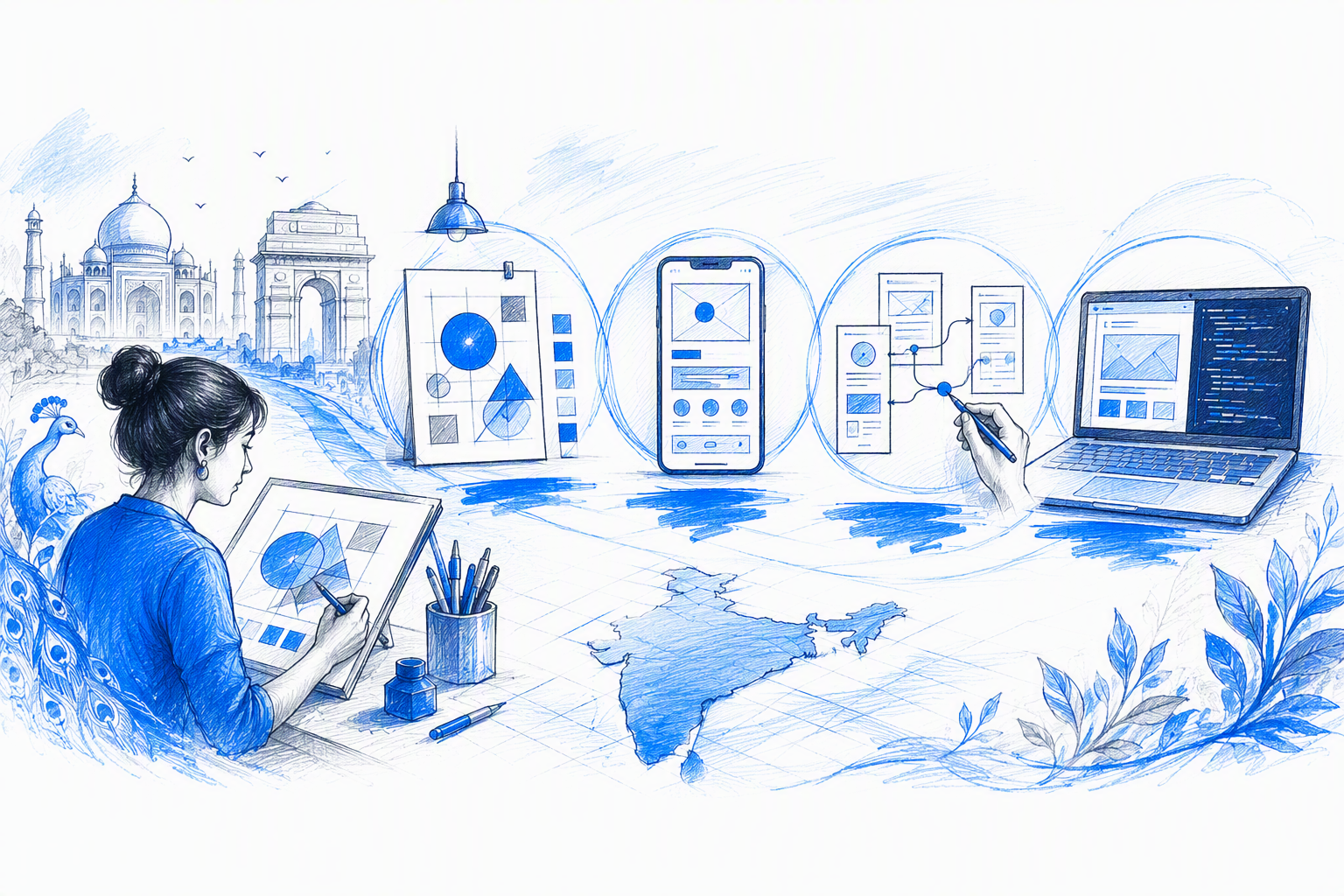
- Graphic design shapes visual communication.
- UX design structures journeys, information, and workflows.
- UI design specifies how an interactive interface looks and behaves.
- Product design connects user needs, business goals, and technical constraints.
- Frontend execution turns approved decisions into working digital behaviour.
The boundaries are not rigid. Typography is a graphic design choice, a UI specification, and a usability concern. Checkout is a UX flow, a commercial product decision, and an implementation challenge.
Our hybrid practice suits teams that want coherent design and implementation thinking without managing several contributors. For a deeper hiring framework, see how to find a product designer who can deliver buildable work.
When standalone UX design services are enough
Standalone UX services can be enough when the main uncertainty concerns research, navigation, product definition, task flows, or information architecture. A focused scope might include an audit, prioritised journeys, wireframes, or a testable prototype.
This work helps a team make informed structural decisions before investing in production UI. It will not, however, automatically resolve an inconsistent visual identity, weak responsive behaviour, or implementation that differs from the approved design.
When an integrated UI/UX and frontend-aware approach is stronger
Integrated UI/UX services are more suitable when interaction logic, visual direction, responsive layouts, components, and implementation decisions affect one another. Common examples include product launches, substantial redesigns, and conversion-focused journeys.
Frontend awareness helps us identify content overflow, breakpoint problems, missing states, component exceptions, and accessibility concerns before development.
It does not turn design into engineering. Instead, it makes design decisions more practical and engineering discussions more precise. Our guide to UX/UI design services without the development handoff gap explains how those responsibilities can connect.
What end-to-end UI UX design services should include
End-to-end UI UX design services should turn an incomplete brief into a clear, reviewable, production-ready direction. That takes more than polished Figma screens.
We recommend defining:
- Objectives, users, assumptions, and constraints
- Included platforms, journeys, screens, and states
- Review milestones and approval points
- Deliverables and source files
- Revision and change-request boundaries
- Handoff and implementation support
- Ownership, confidentiality, and intellectual property terms
The sequence depends on product maturity. A new concept may need problem definition and flow validation. A live product may need an audit, targeted redesign, and close developer collaboration.
Discovery, goals, and user flows
During discovery, we clarify the business goal, users, product context, technical realities, available evidence, content readiness, and fixed constraints.
We then translate those inputs into prioritised journeys, requirements, information architecture, and assumptions to test. This gives the team a shared basis for decisions instead of relying on subjective reactions to visual options.
A founder does not need a perfect brief. We do need to understand what the product should achieve, what already exists, what remains uncertain, and which constraints cannot change.
Wireframes, visual direction, and prototyping
Wireframes help us resolve hierarchy and behaviour before detailed visual work begins. Teams can examine content order, navigation, actions, dependencies, and alternate routes without being distracted by surface styling.
Visual direction then establishes the product’s character through typography, colour, spacing, imagery, shape, and motion. We explore it in enough context to check whether it works beyond one showcase screen.
Prototypes make important flows reviewable and can reveal missing feedback, unclear transitions, or awkward interactions. This is why effective UI/UX designing services should do more than deliver Figma files. The value comes from the decisions behind the file.
Production UI, components, and handoff
Production UI should include responsive layouts, realistic content, interaction states, component behaviour, assets, and implementation notes. Relevant states may include loading, empty, error, success, disabled, hover, focus, and selected.
We structure components around validated patterns. An early product may need a compact reusable library, while a mature platform may justify broader tokens, variants, documentation, and governance.
Handoff works best as an ongoing collaboration. Designers and developers can clarify behaviour, review implementation, and adapt details when real content or browser conditions expose new constraints.
For a practical baseline, review these 14 capabilities to check before hiring UIUX design services.
How frontend knowledge protects the approved design
A strong interface can lose quality during development when its designs omit responsive rules, interaction states, content behaviour, or feasible component logic.
Frontend knowledge helps us address implementation realities earlier. It strengthens discussions about HTML structure, CSS behaviour, breakpoints, reusable components, accessibility, and technical trade-offs.
Early developer collaboration also prevents late surprises. If an animation is costly, a component conflicts with the current architecture, or mobile requires another interaction pattern, the team can respond before final polish.
Frontend-aware design supports fidelity but does not replace engineering. Application logic, security, infrastructure, data, performance, and production architecture still require qualified developers.
Responsive states and interaction behaviour
Responsive design is not a smaller desktop frame. Navigation, grids, tables, images, touch targets, content priority, and action placement may all need to change.
Each component should answer practical questions:
- What happens when a title wraps?
- Do actions stack, scroll, collapse, or reflow?
- Which information remains visible first?
- How does missing or unusually long content behave?
- How does keyboard focus move through the interface?
Loading, empty, error, focus, disabled, selected, and success states deserve equal attention. These details often determine whether an interface feels dependable.
Developer-ready specifications and implementation support
Developer-ready work includes assets, component variants, layout rules, interaction notes, content behaviour, and clear acceptance criteria. Documentation should explain intent without becoming so heavy that it quickly falls out of date.
Build reviews help us catch spacing drift, incorrect typography, missing states, weak breakpoints, and behaviour that differs from the approved concept.
The goal is not rigid reproduction at any cost. We preserve design intent while making sensible technical decisions. See our perspective on UI/UX design services that survive frontend execution.
How to evaluate a graphic or UI UX designer in India
A polished portfolio shows presentation ability, but it may not reveal who framed the problem, made key decisions, handled constraints, or supported the shipped work.
For each relevant project, we recommend examining:
- The business goal and user problem
- The designer’s specific responsibility
- Project constraints
- Options explored and rejected
- Feedback and iteration
- Rationale for the final direction
- Whether the work shipped
- Verified outcomes, where available
Communication matters too. An independent designer may need to clarify a rough objective, challenge an assumption, present trade-offs, and maintain momentum without waiting for a perfect specification.
Portfolio evidence that matters
A credible case study explains what needed to change, who experienced the problem, which constraints mattered, and how the design addressed the objective.
Ask what changed after feedback and where technical realities shaped the work. Strong designers can explain why an earlier idea failed and which decisions they would reconsider.
We also recommend asking whether the product shipped and what evidence supports the stated outcome. Designers should distinguish observed results from assumptions rather than presenting speculative impact as fact.
Collaboration and delivery questions to ask
Before hiring, confirm:
- Availability and start date
- Communication overlap and meeting cadence
- Milestones and feedback windows
- Deliverables and responsive coverage
- Revision boundaries
- Source-file access and ownership
- Confidentiality and intellectual property terms
- Handoff and implementation support
- The process for additional scope
Good collaboration answers describe practical working habits with founders, product managers, engineers, and remote teams—not just a claim that someone is collaborative.
Independent designer vs agency or specialist freelancer
An independent hybrid designer can work well when the team values direct access, continuity, and quick decisions. An agency may be more suitable for extensive parallel research, high production volume, or several specialist disciplines.
Neither model is automatically safer. Reliable delivery comes from relevant evidence, clear ownership, realistic scope, and transparent communication.
The right choice depends on the work. Our contract product designer engagement guide offers a practical comparison.
Freshway App: Turning grocery browsing into a clearer product journey
Freshway App shows how a compact case study can communicate more than a gallery of mobile screens. The focus is grocery browsing: helping people understand categories, scan products, compare options, and move towards purchase with less friction.
Our role connects product discovery, UX structure, mobile UI craft, and implementation-aware thinking. Each visual decision supports comprehension, trust, or commercial action.
The product problem and design constraints
Grocery interfaces contain dense, repetitive information. Shoppers may need to assess categories, imagery, prices, offers, quantities, and availability within limited screen space.
The design had to account for:
- Numerous products and categories
- Variable names and imagery
- Prices, offers, quantities, and availability
- Familiar shopping expectations
- Limited mobile space
- Visible but non-disruptive actions
Hierarchy, discovery, and interface decisions
Clearer category organisation can support discovery without introducing unfamiliar behaviour. Product cards also need disciplined hierarchy so names, quantities, prices, imagery, and actions remain easy to distinguish.
We balanced distinctive colour, typography, and imagery with familiar shopping patterns. Consistent action placement reduces interpretation effort, while controlled emphasis keeps promotional content from overwhelming product information.
Outcome and transferable lessons
Without verified analytics or usability results, we do not claim numerical improvement. The outcome is a clearer product direction supported by explicit hierarchy and interaction decisions.
The broader lessons are straightforward:
- Organise around user intent.
- Make repeated information easy to compare.
- Use emphasis to clarify decisions.
- Test components with difficult content.
- Define responsive and interaction behaviour early.
- Preserve familiar patterns where confidence matters.
Engagement models, timelines, and graphic design pricing in India
There is no universal price for graphic design in India. A landing-page refresh, mobile product, SaaS redesign, and embedded product engagement involve different levels of uncertainty and responsibility.
We recommend comparing complete scopes rather than hourly rates alone. Missing states, unclear decisions, and poor handoff can create expensive development rework.
Common models include:
- Fixed-scope project: For a defined outcome with controlled boundaries.
- Focused design sprint: For testing a specific direction or product question.
- Monthly retainer: For ongoing iteration and changing priorities.
- Embedded product support: For close participation in an active team.
What affects project investment
Investment depends on product complexity, platforms, research depth, content readiness, design debt, accessibility needs, responsive behaviour, motion, design-system scope, stakeholder count, implementation support, and schedule.
Salary data is not a reliable project-pricing guide. Employment compensation and project fees represent different responsibilities, risks, and deliverables.
Choosing the right engagement model
We use fixed scope when the problem and outputs are stable. A sprint works when a team needs to test navigation, visual direction, or a high-risk interaction first. Retainers and embedded support suit continuous product work.
Before estimating, we need the business goal, product state, users, platforms, priority journeys, technical context, required deliverables, approval process, constraints, and intended launch date.
Graphic design in India: Buyer FAQs and next steps
Searches for designers often mix career questions with commercial hiring needs. For product work, we focus on relevant experience, judgement, collaboration, and execution quality.
Is graphic design in demand in India?
Graphic design supports digital products, ecommerce, SaaS, marketing, branding, publishing, packaging, illustration, and motion. Adobe also describes it as one of India’s fastest-growing creative careers.
For hiring teams, the more useful question is which capabilities the project requires. Digital products often benefit from designers who connect visual communication with UX, responsive UI, and implementation.
How much do graphic designers get paid in India?
Employee salaries and freelance fees vary by experience, specialisation, scope, complexity, timeline, and responsibility.
We do not recommend using a general salary figure as a project budget. Compare deliverables, ownership, revision terms, handoff quality, and the likely total cost of execution.
Which country is best for graphic design?
No country is universally best. Quality depends on relevant experience, reasoning, craft, communication, reliability, and project fit.
India offers a broad design talent market, but geography should not replace evaluation. Evidence and working compatibility matter more.
Can you collaborate remotely and protect confidential product work?
Yes, we can support Bangalore-based and remote collaboration, subject to availability and fit. The agreement should cover communication, file access, confidentiality, intellectual property, deliverables, and post-handoff support.
What should I send to start a project?
Send the business goal, current product or concept, users, timeline, technical context, relevant files, and known constraints. Research, analytics, and brand assets are useful when available. We can shape an early objective into a practical scope during discovery.
FAQ
What is the difference between graphic design and UI UX design services?
Graphic design focuses on visual communication. UX structures journeys, while UI defines how an interactive interface looks and behaves. Integrated services coordinate hierarchy, behaviour, brand expression, responsive states, and product goals.
Should a startup hire a designer or a full agency?
The choice depends on scale. An independent hybrid designer can provide direct access and continuity for focused work. An agency may suit projects requiring parallel delivery, substantial research, or several specialist disciplines.
Does a product need a complete design system before development?
Not always. Early products often need a practical component foundation rather than a comprehensive system. Broader tokens, variants, documentation, and governance can grow once the core patterns are validated.
What should be included in a UI UX design handoff?
A useful handoff includes responsive screens, realistic content, interaction states, component logic, reusable assets, implementation notes, acceptance criteria, and source-file access. Developer collaboration and build reviews should continue after the initial transfer.
How do we know whether a designer can deliver buildable work?
Ask about constraints, rejected options, responsive behaviour, component decisions, developer collaboration, and implementation changes. Review shipped work where possible and discuss loading, error, empty, focus, and edge-case states.
Create a more distinctive, build-ready product
Share the product goal, current experience, key constraints, and intended launch date with amajaying.com. We’ll define the right mix of UX, UI, graphic design, and frontend-aware support for the work.